No source photo required
Create a character or portrait direction from text when you want a new identity rather than a photo transformation.
Identity Studio
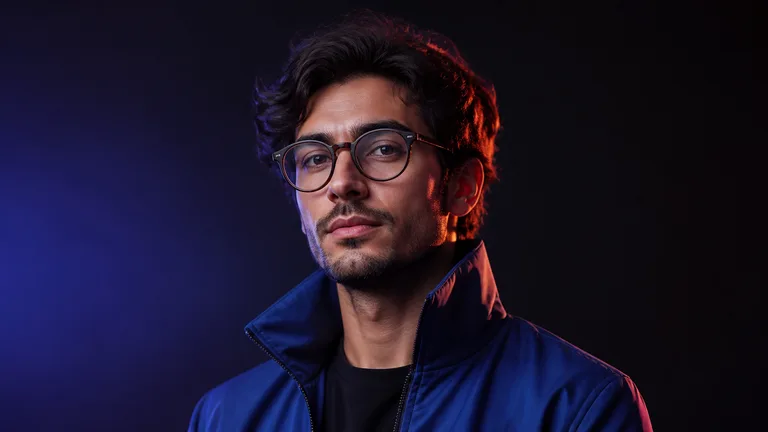
Build an original portrait or character direction for profiles, communities, presentations and creator brands. Describe the person, portrait style and background mood, then generate a square visual designed to read clearly at avatar size. Renderioo works from text, giving you control over the identity and atmosphere without requiring a source photo.
Focused creative workflow
An avatar needs to feel recognizable even when it appears small. Start with a clear subject, then define the expression, clothing, lighting, color palette and setting. A founder portrait may call for clean daylight and a calm background, while a gaming profile can use graphic color, strong rim light and a more expressive pose. Renderioo turns those decisions into a focused square portrait concept.
Why Renderioo
Create a character or portrait direction from text when you want a new identity rather than a photo transformation.
Explore editorial, photoreal, anime, graphic, playful and minimal portrait directions.
Keep the face, silhouette and background readable for social profiles, communities and presentation bylines.
How it works
Define the person or character, including age range, expression, clothing and any distinctive visual details.
Pick an editorial, realistic, anime, illustrated or minimal direction that fits the intended platform.
Use color, light and environment to support the identity without competing with the face.
Create the avatar, then adjust the prompt if you want a different expression, crop, palette or degree of realism.
Made for real projects
Develop distinctive artwork for YouTube, streaming, forums, newsletters and online communities.
Explore polished portrait directions for presentations, author cards and early brand materials.
Create fictional identities for stories, games, role-playing profiles and creative experiments.
Questions and answers
Yes. Renderioo's avatar workflow creates portraits from a written brief, so a source photo is not required.
You can describe realistic, editorial, anime, illustrated, playful, cinematic or minimal portrait directions and refine the prompt as needed.
Describe the subject, expression, clothing, framing, background and lighting. Mention the platform or audience if it affects the mood.
The specialized avatar workflow uses a square composition that works well as the starting format for most profile images.
A new account includes three free credits. Credit use depends on the number and size of outputs selected.
Start with three free credits
No card is required to create a Renderioo account.
Start creating free