Private On-Device AI Utility
Enhance and upscale an image by 2×
Increase an image to twice its width and height while reconstructing useful detail instead of stretching the original pixels. Renderioo runs the enhancement model directly on your device, so the source image does not need to be uploaded for AI processing. After enhancement, only the finished result is stored in your private history for download and reuse. The workflow is designed for practical 2× enlargement, cleaner edges and restrained detail recovery.
3 free credits No card required Private history
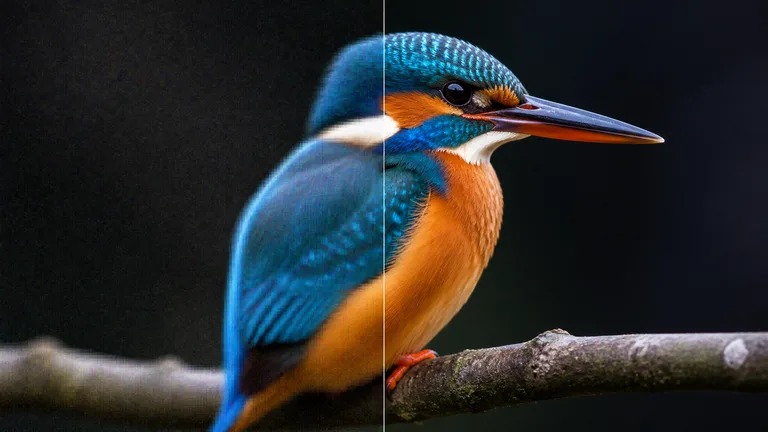
Creative previewAI Image Enhancer
Focused creative workflow
More pixels with local, private processing
Traditional resizing makes an image larger but cannot recover edges and texture lost at the original resolution. Renderioo uses a compact super-resolution model to rebuild a higher-resolution version on the user’s device. The longest source edge is limited for reliable browser performance, the output is two times larger in each dimension, and saving the finished result uses one credit.
Why Renderioo
Useful control without a complicated interface
Source stays on your device
Restrained detail recovery
How it works
How to use AI Image Enhancer
- 1
Upload an image
- 2
Load the local enhancer
- 3
Reconstruct the larger image
- 4
Save the private result
Made for real projects
Ways to use AI Image Enhancer
Older web and social images
Creative drafts and generated art
Product and profile assets
Questions and answers
AI Image Enhancer FAQ
How large will the enhanced image be?+
The output has twice the source width and twice the source height after the input is limited to a maximum 1024-pixel edge for dependable browser processing.
How many credits does image enhancement use?+
Saving one successfully enhanced image uses one credit. The source preview and model loading do not use credits.
Is my source image uploaded for processing?+
No. AI enhancement runs locally in the browser. Only the finished enhanced result is uploaded to your private history after processing succeeds.
Why can the first enhancement take longer?+
The browser downloads the processing model the first time you use the tool. Supported browser caching can make later requests faster on the same device.
Does enhancement restore every missing detail?+
No upscaler can recover information that was never captured. The tool reconstructs likely edge and texture detail, so results vary with compression, blur, noise and source resolution.
Start with three free credits
Create your first image enhancer
No card is required to create a Renderioo account.
Start creating free